 November 23, 2026
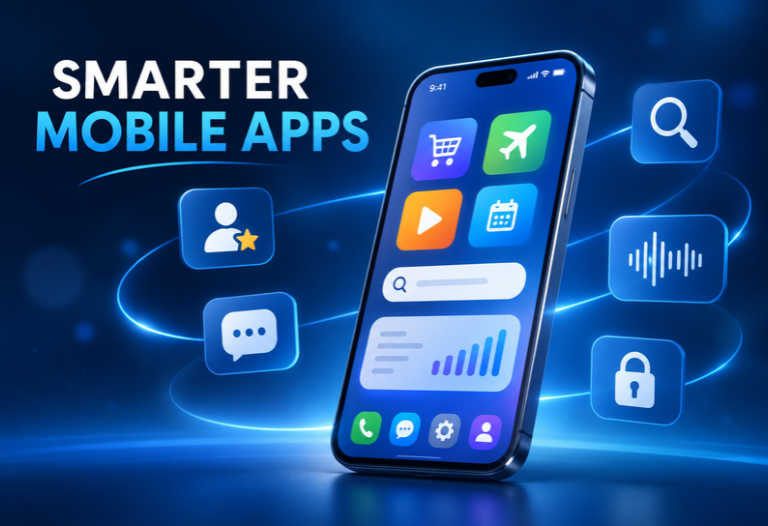
Mobile apps have become part of how people shop, communicate, work, travel, manage money, and access services. But as users spend more time across different apps, simply offering more features is no longer enough. People expect apps to understand what they need, respond quickly, and make everyday tasks easier.
This is where artificial intelligence is changing mobile app development. AI can help apps learn from user interactions, personalize experiences, understand natural language, detect unusual activity, and automate repetitive tasks. Newer capabilities are also making it possible to bring more AI processing directly onto smartphones, improving responsiveness and supporting experiences that work even with limited connectivity.
For businesses investing in custom mobile app solutions, AI is therefore becoming less about adding a chatbot and more about building an app that can respond intelligently to users and business needs.
In this blog, we will look at how AI is being used in mobile apps, the features it can enable, and what businesses should consider when building an AI-powered application.
What Does AI Bring to Mobile App Development?
Traditional mobile applications generally follow predefined rules. A user taps a button, enters information, or selects an option, and the application responds according to its programmed logic.
AI adds another layer to this interaction. Instead of only following fixed instructions, an AI-enabled app can analyze data, identify patterns, understand language, make predictions, and generate responses.
For example, an ecommerce app can learn from browsing and purchase behavior to suggest relevant products. A banking app can identify unusual transaction patterns. A travel application can understand a natural-language request and help a user find suitable options.
The technology used depends on the requirement. Mobile developers can combine traditional machine learning, generative AI, computer vision, speech recognition, recommendation systems, and other AI capabilities within the same application.
Android currently supports both on-device and cloud-based AI approaches, including Gemini Nano, ML Kit, LiteRT, and cloud models through Firebase AI Logic. Apple also provides on-device machine learning and newer Foundation Models capabilities for intelligent app experiences.
How AI Is Making Mobile Apps Smarter
AI can influence different parts of an application, from the first interaction with a user to the way an app processes information in the background.
Here are some of the most useful applications.
1. Personalized User Experiences
People do not necessarily want to see the same content, products, or recommendations as everyone else.
AI can analyze signals such as browsing behavior, previous purchases, searches, preferences, and interactions to create more relevant experiences.
For example, a streaming application can recommend content based on viewing patterns. An ecommerce app can highlight products related to previous purchases. A fitness application can adjust suggestions based on a user’s activity and goals.
This makes the app feel more relevant without requiring users to manually configure every preference.
Personalization can also extend beyond recommendations. AI can help determine which notifications are useful, what content should appear first, or which actions a user is most likely to take next.
For businesses, this can create a more engaging experience while helping users find what they need faster.
2. AI-Powered Chat and Virtual Assistants
Chatbots have moved beyond simple question-and-answer systems.
With generative AI and natural language processing, mobile apps can provide conversational interfaces that understand questions, maintain context, and respond in a more natural way.
An ecommerce application, for example, could allow a customer to ask:
“I need a waterproof jacket for a winter trip under $150.”
Instead of making the customer apply several filters manually, the AI assistant can interpret the request and guide them toward relevant products.
Similarly, banking, healthcare, travel, education, and customer-service applications can use AI assistants to answer common questions, guide users through processes, and reduce repetitive support requests.
The important part is that the assistant should be connected to the app’s actual data and workflows. A chatbot that simply generates text without access to relevant business information may not provide much practical value.
Ready to Build a Smarter Mobile App?
Add AI-powered personalization, chat assistants, smart search, and automation to your custom mobile app with Primotech.
3. Smarter Search
Search is another area where AI can make a noticeable difference.
Traditional app search often depends on exact keywords. AI-powered search can understand intent, context, and natural language.
Instead of searching for individual keywords, users can describe what they want in a sentence.
For example:
“Show me comfortable running shoes for beginners under $100.”
An intelligent search system can interpret the request and combine multiple requirements before presenting results.
Modern AI tools also support multimodal experiences. Depending on the technology and implementation, users may be able to search using text, images, audio, or a combination of inputs.
This can be particularly useful for retail, travel, real estate, food delivery, and other applications where users have different ways of expressing what they need.
4. Voice-Based Interactions
Typing is not always the most convenient way to use a mobile application.
AI-powered speech recognition allows users to interact with apps through voice. Users can search for information, dictate messages, control certain functions, or ask questions without navigating through multiple screens.
The experience becomes more useful when speech recognition is combined with natural language understanding.
For example, instead of saying a specific command such as “search hotels,” a user could say:
“Find me a hotel near the airport for two nights next weekend.”
The application can interpret the request and guide the user through the relevant options.
Apple and Android both provide technologies that support speech, language, and on-device intelligence for mobile applications.
5. Predictive Features
AI does not only respond to what users have already done. It can also use historical data to identify patterns and make predictions.
This can support features such as:
- Product recommendations
- Demand forecasting
- Predictive maintenance
- Personalized content
- Churn prediction
- Fraud detection
- Smart notifications
- Inventory forecasting
Consider a food delivery application. AI could analyze previous orders, time of day, location, and other signals to make more relevant recommendations.
In an enterprise application, predictive models could identify patterns that indicate a potential issue before it becomes a larger operational problem.
The goal is not to make the app “predict everything.” It is to use available data where a prediction can genuinely improve a decision or user experience.
6. Better App Security
Security is another important area where AI can contribute.
Mobile applications handle sensitive information such as payment details, personal information, location data, and account credentials. AI can help identify unusual behavior and potentially suspicious activity.
For example, a financial application can analyze transaction patterns and flag activity that differs significantly from a user’s normal behavior.
AI can also support identity verification, facial recognition, anomaly detection, and other security-related processes depending on the application.
However, AI should not be treated as a replacement for secure application architecture. Authentication, encryption, access controls, secure APIs, regular testing, and appropriate data handling remain essential.
7. Faster and More Responsive Experiences
AI can also improve how intelligence is delivered inside an app.
One important development is on-device AI, where certain models run directly on the user’s device instead of sending every request to a remote server.
Android documentation highlights benefits such as local processing, offline functionality, and reduced cloud inference costs for suitable use cases.
Apple similarly provides on-device machine learning and Foundation Models capabilities for supported devices.
For the user, this can mean quicker responses for certain tasks and better functionality when connectivity is limited.
For businesses, the right approach may be on-device, cloud-based, or a hybrid model. The decision depends on the complexity of the AI task, data sensitivity, device capabilities, latency requirements, and infrastructure.
8. Smarter Automation Inside Apps
AI can reduce the number of manual steps users need to complete.
For example, an application could:
- Summarize long documents
- Extract information from uploaded files
- Categorize customer requests
- Generate draft responses
- Convert speech into structured notes
- Identify information from images
- Recommend the next action
- Automate repetitive workflows
These capabilities are particularly useful in business applications where users regularly deal with large amounts of information.
Modern mobile AI frameworks are also moving toward more agentic experiences, where AI can use tools and perform multiple steps rather than simply generating a response. Android is developing capabilities that allow apps to expose functions to system-level AI, while Apple’s Foundation Models framework supports tool calling and agentic workflows.
AI Can Also Improve the User Experience
AI is not only a backend technology. It can influence how users interact with an application.
For example, an app can use AI to:
- Simplify complex navigation
- Provide contextual suggestions
- Adapt content based on user behavior
- Offer conversational support
- Improve search
- Generate useful summaries
- Make accessibility features more effective
This matters because users usually do not care which AI model an application uses. They care whether the app helps them complete a task with less effort.
That means AI should be introduced where it solves a genuine usability problem rather than being added simply because it is a current technology trend.
Choosing the Right AI Approach for a Mobile App
Not every application needs the same AI architecture.
A simple recommendation feature might require a machine learning model, while an AI assistant could require a large language model, retrieval system, business APIs, and additional safeguards.
Developers may choose between:
On-device AI: Useful when privacy, offline functionality, and low latency are important.
Cloud-based AI: Useful when applications need larger models, more computing power, or complex processing.
Hybrid AI: Combines local and cloud processing depending on the task.
Android’s current AI guidance explicitly presents on-device, cloud, and system-level integration as different approaches developers can consider. Firebase AI Logic also supports AI experiences across Android, iOS, Flutter, React Native, and other platforms.
The right choice should come from the product requirement, not from choosing the newest model available.
What Businesses Should Consider Before Adding AI
AI can add significant value to a mobile application, but implementation needs planning.
Start With a Clear Use Case
Instead of asking, “Where can we add AI?” start with the user or business problem.
Does customer support take too much time? Are users struggling to find products? Is there too much manual data processing? Are recommendations not relevant enough?
The answer can determine whether AI is actually needed.
Consider Data and Privacy
AI systems often depend on data. Businesses need to understand what information is being collected, where it is processed, how long it is retained, and who can access it.
For sensitive applications, on-device processing or carefully designed cloud architecture may be more appropriate.
Plan for Performance and Scalability
An AI feature needs to work reliably as usage increases.
Businesses should consider model response times, infrastructure costs, API usage, device capabilities, and how the application will behave when connectivity is poor.
Test AI Features Like Product Features
AI outputs are not always deterministic. An application therefore needs appropriate evaluation, monitoring, fallback behavior, and human oversight where necessary.
Apple’s current developer tools, for example, include an Evaluations framework for testing AI behavior under changing conditions.
The objective is not simply to make an AI feature work in a prototype. It needs to work reliably in the real product.
How Primotech Builds AI-Powered Mobile Applications
Primotech develops mobile applications that combine product requirements, modern mobile engineering, and AI capabilities where they create measurable value.
Its mobile app development services include native, cross-platform, and hybrid application development, along with UI/UX design, testing, maintenance, third-party integrations, and AI/ML integration.
For businesses looking beyond basic mobile functionality, Primotech also works on AI-powered mobile and web applications, AI chatbots, AI-driven applications, and other intelligent product experiences.
The development approach can include:
- AI-powered personalization
- Conversational AI and in-app assistants
- Recommendation engines
- Predictive analytics
- Computer vision
- Natural language processing
- AI automation
- Third-party AI integrations
- On-device and cloud-based AI
- Custom AI/ML models
The focus is on matching the technology with the product requirement. A custom mobile app does not necessarily need every available AI feature. The better approach is to identify where intelligence can make the application more useful, efficient, secure, or easier to use.
For companies looking for custom mobile app solutions, this approach can help turn AI from an added feature into a practical part of the product experience.
Frequently Asked Questions
1. How does AI make mobile apps smarter?
AI allows mobile apps to analyze data, understand user behavior, recognize patterns, process natural language, make predictions, and automate certain tasks. These capabilities can make apps more personalized and responsive.
2. What are some examples of AI features in mobile apps?
Common examples include AI chatbots, personalized recommendations, voice assistants, intelligent search, image recognition, fraud detection, predictive analytics, automated summaries, and smart notifications.
3. Is AI suitable for every mobile app?
Not necessarily. AI is most useful when it addresses a specific user or business problem. A simple application may not need complex AI, while apps involving personalization, automation, predictions, or natural-language interactions may benefit significantly from it.
4. What is the difference between on-device AI and cloud-based AI?
On-device AI processes certain AI tasks directly on the user’s device. This can support privacy, offline functionality, and lower latency for suitable use cases. Cloud-based AI processes requests on remote infrastructure and can provide access to larger models and more computational resources.
5. Can AI be added to an existing mobile app?
Yes. AI can often be integrated into an existing application through APIs, machine learning models, cloud AI services, or on-device frameworks. The approach depends on the application’s architecture, existing data, security requirements, and desired functionality.
6. How much does it cost to develop an AI-powered mobile app?
The cost depends on factors such as app complexity, platforms, number of features, AI models, integrations, data requirements, security, and development time. A basic AI feature and a full AI-driven application can have very different development requirements.
Conclusion
AI is changing mobile applications from systems that simply respond to commands into experiences that can understand context, recognize patterns, personalize interactions, and assist users with everyday tasks.
The opportunity is not about adding AI to every screen. It is about identifying the parts of an application where intelligent technology can remove friction and create a better experience.
With the right combination of mobile engineering, AI models, data, and product strategy, businesses can build applications that are not only functional but also more responsive to how people actually use them.
For businesses planning their next mobile product or upgrading an existing application, custom mobile app solutions with AI capabilities can provide a practical path toward more intelligent and user-focused experiences.