 November 13, 2026
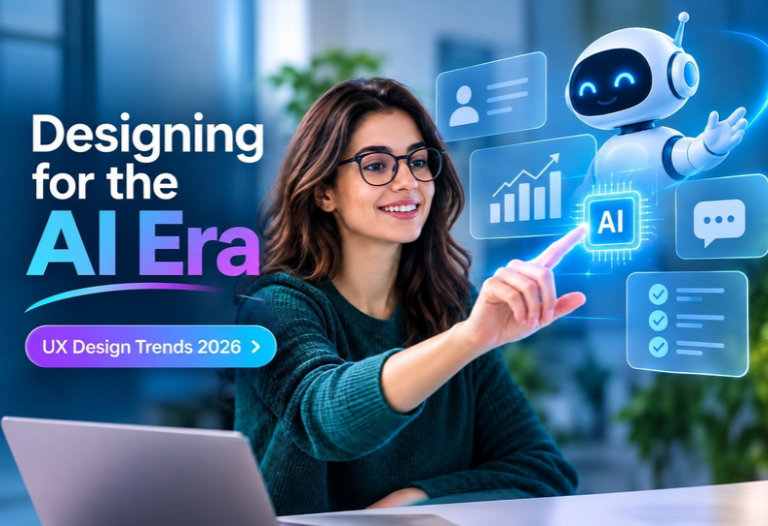
Artificial intelligence is changing more than what digital products can do. It is changing how people interact with them.
For years, UX design focused on creating predictable journeys. Designers mapped screens, buttons, menus, and workflows around what users were expected to do. AI is challenging that model. Interfaces can now understand intent, personalize experiences, recommend actions, generate content, and even complete tasks on a user’s behalf.
This shift is shaping the UX design trends 2026. AI UX is moving beyond chatbots and recommendation engines toward experiences that adapt to context and work alongside users.
For product teams, the challenge is not simply adding AI to an existing interface. It is designing an experience where AI feels useful, understandable, and under the user’s control.
How AI Is Changing the Role of UX Design
Traditional interfaces are largely static. A user follows a predefined path, and the product responds to specific actions.
AI-driven products can work differently. The system can interpret intent, learn from interactions, generate responses, and adjust the experience based on context. Research on AI-native experience design points to an important change: AI can increasingly influence not only what appears on a screen, but also the journey a user takes through a product.
That means UX designers now have to think about more than screens.
They need to consider:
- What the AI knows and does not know
- How the system responds to unclear requests
- When users should approve an AI action
- How much control users should retain
- What happens when an AI recommendation is wrong
- How users understand why the system made a suggestion
The result is a more dynamic relationship between people and technology.
Key UX Design Trends 2026: What Product Teams Need to Know
1.) Interfaces Are Becoming More Adaptive
One of the biggest changes in AI UX is the move from one interface for everyone toward experiences that respond to individual needs.
An intelligent interface might prioritize frequently used features, surface relevant information, adjust recommendations, or change a workflow based on the user’s current task.
For example, an analytics platform could recognize that a manager regularly checks revenue and customer churn on Monday mornings. Instead of requiring the user to navigate through several reports, the interface could surface those insights automatically.
However, personalization should solve a real problem. Changing layouts simply because AI makes it possible can create confusion.
A better approach is to begin with one high-value workflow, measure how users interact with it, and expand personalization only when there is clear evidence that it improves the experience.
2.) Conversational UX Is Moving Beyond Chatbots
Chat interfaces are becoming an important interaction layer across websites, applications, and enterprise software.
But effective conversational UX is more than placing a chatbot in the corner of a screen.
Users increasingly expect AI to understand natural language and help them complete meaningful tasks. Instead of searching through multiple menus, a user might ask:
“Show me the sales performance for our Northeast region and compare it with last quarter.”
The interface can interpret the request, retrieve the relevant information, and present the result.
This creates a new design responsibility. Designers need to account for ambiguous questions, incomplete information, incorrect inputs, follow-up questions, and situations where the AI cannot complete a request.
A good conversational experience always gives users a clear path forward.
3.) AI Agents Are Changing the Meaning of Interaction
Another major development in AI-driven user experience is the rise of agentic systems.
Traditional software waits for users to perform individual actions. AI agents can handle multiple steps toward a defined goal.
For example, instead of asking a user to search for available appointments, compare options, fill out information, and confirm a selection separately, an AI agent could help coordinate the workflow.
This changes the interface from a collection of controls into a space where users supervise actions.
The design priority therefore shifts from “How do we make users click less?” to “How do we make automated actions understandable and controllable?”
Users should be able to review important actions, change instructions, stop processes, and understand what the system has already done.
4.) Transparency Will Become a Core UX Requirement
AI can produce useful recommendations, but users still need to understand what is happening.
This is particularly important when AI influences decisions involving finances, healthcare, employment, security, or business operations.
Good AI UX should communicate:
- When AI is being used
- What information influenced an output
- Why a recommendation was presented
- How confident the system is when appropriate
- What the user can change or override
The explanation does not need to expose technical model details.
A simple message such as “Recommended based on your recent activity” can provide useful context. For higher-impact decisions, users may need more detailed explanations and stronger opportunities for human review.
Trust comes from making AI behavior visible rather than making it feel mysterious.
5.) Multimodal Experiences Will Expand
People do not always interact with technology in the same way.
Depending on the situation, they might type, tap, speak, use gestures, or move between devices. Multimodal design brings these interaction methods together rather than forcing users into one input pattern.
For example, a user could start a task through voice, review the result visually, and make final changes using touch.
The important point is not to add every available interaction method. Each mode should have a clear purpose.
Design teams should also provide alternatives. If voice input fails because of background noise, users should still be able to type. If a gesture is difficult to discover, a conventional control should remain available.
Flexibility should make the experience easier, not more complicated.
6.) Accessibility Needs to Be Built Into AI UX
Accessibility is becoming increasingly connected to intelligent interface design.
AI can help teams identify accessibility issues, test interface variations, generate alternative content, and support users through voice or other interaction methods. Current UX research also identifies AI-powered accessibility tools as a significant area of impact in 2026.
But automation does not replace accessibility expertise.
Designers still need to consider readable typography, keyboard navigation, color contrast, screen-reader compatibility, clear language, motion preferences, and predictable interaction patterns.
The best approach is to include accessibility during research, design, development, and testing rather than treating it as a final checklist.
Ready to Build an AI-Powered Experience Users Trust?
Get expert help with AI strategy, conversational interfaces, and AI agent development so your product feels useful, transparent, and under your users’ control.
Designing Intelligent User Interfaces Without Losing the Human Element
AI can make an interface more capable, but capability does not automatically create a better user experience.
A useful AI feature should reduce effort, improve understanding, or help users accomplish something that was previously difficult.
Before adding an AI capability, product teams should ask:
What problem is AI actually solving?
If the answer is unclear, the feature may not belong in the product.
Teams should also identify the level of control users need. Low-risk recommendations might require little intervention. Actions that affect money, data, access, or other people require stronger confirmation and oversight.
This is where human-centered design remains essential. AI can generate possibilities quickly, but designers still need to decide which possibilities make sense for real users.
From AI Feature to AI-Native Experience
The difference between adding AI to a product and designing an AI-native experience is significant.
Adding AI might mean introducing a chatbot, recommendation feature, or content generator.
An AI-native experience considers AI throughout the product journey.
That could include:
- Understanding user intent during onboarding.
- Personalizing relevant content and workflows.
- Using conversational interaction where it reduces friction.
- Providing recommendations at useful moments.
- Automating repetitive tasks.
- Showing users what AI is doing.
- Allowing users to review or override important actions.
- Continuously improving the experience through user feedback.
This approach connects AI capabilities with actual user needs instead of treating AI as a separate feature.
How Businesses Can Prepare for the New UX Era
Businesses do not need to redesign their entire product around AI overnight.
A practical starting point is to audit existing user journeys.
Look for repetitive tasks, high-dropoff points, complicated navigation, frequent support questions, and workflows that require users to move between multiple systems.
Then identify where AI could genuinely reduce friction.
Start with a focused use case, create a prototype, test it with real users, and measure the outcome. Useful metrics might include task completion time, conversion, retention, support requests, errors, or user satisfaction.
AI should also be monitored after launch. User behavior changes, models evolve, and new failure patterns can emerge.
The UX process therefore becomes more continuous. Design, development, AI performance, analytics, and user feedback need to work together rather than operating as separate stages.
How Primotech Helps Businesses Build Better AI Experiences
At Primotech, we approach AI-powered product development from both the technology and user-experience perspective.
As an award-winning global technology and AI consulting company, Primotech works with startups, SMBs, and enterprises across 12+ industries to design, develop, and scale intelligent digital products. The company combines AI, product engineering, data, cloud, and automation capabilities to address real business challenges.
Our AI capabilities include AI strategy and roadmap development, custom AI development, AI product development, chatbot development, AI agent development, LLM application development, and AI-powered web and mobile applications.
For businesses exploring intelligent user interfaces, this means looking beyond the visual layer. The focus is on connecting UX decisions with AI architecture, data, workflows, integrations, security, and long-term scalability.
With 10+ years of engineering experience, 1,500+ successful projects, and 750+ clients, Primotech helps organizations move from AI concepts and prototypes toward production-ready solutions.
The goal is straightforward: build AI experiences that are useful to users and practical for the business operating them.
FAQs
1.) What are the biggest UX design trends 2026?
Key trends include adaptive interfaces, conversational UX, agentic experiences, multimodal interaction, AI-assisted design, greater transparency, accessibility, and more personalized user journeys. The common theme is that interfaces are becoming more responsive to user intent and context.
2.) What is AI UX?
AI UX refers to designing user experiences around artificial intelligence capabilities. It includes conversational interfaces, personalization, predictive features, AI recommendations, automated workflows, and agentic interactions while maintaining usability, transparency, and human control.
3.) How are intelligent user interfaces different from traditional interfaces?
Traditional interfaces generally follow predefined workflows. Intelligent user interfaces can interpret context, personalize content, generate responses, predict needs, or adapt workflows based on user behavior and intent.
4.) Should every digital product add AI?
No. AI should be introduced when it solves a genuine user or business problem. Adding AI without a clear purpose can make a product more complicated rather than more useful.
5.) How can businesses start implementing AI-driven user experience?
Start by identifying a high-friction user journey. Analyze where users struggle or perform repetitive tasks, identify an appropriate AI use case, build a focused prototype, test it with users, and measure the outcome before expanding the solution.
6.) Why is human oversight important in AI UX?
AI systems can make incorrect assumptions or produce unsuitable outputs. Human oversight gives users the ability to review, correct, approve, or reject important AI-generated recommendations and actions, particularly in high-impact situations.